IPTV Subscription Cost in the USA (2026): What You Really Pay

IPTV Subscription Cost in 2027 — Monthly & Yearly Pricing

IPTV subscription costs range from $11.99/month for a single connection to $29.99/month for 4 simultaneous connections at IPTVPub. Annual plans save over 55% compared to monthly billing, bringing the effective cost down to approximately $5.50/month. All plans include 18,000+ HD/4K channels and VOD content.

Pricing guide · Updated 2026

IPTV Subscription Cost in the USA: What You Really Pay
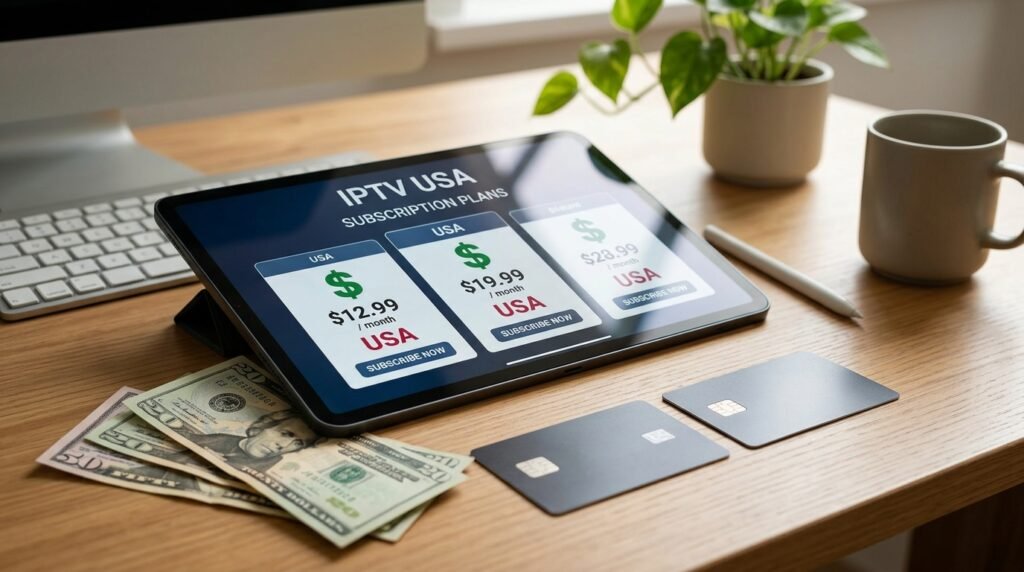
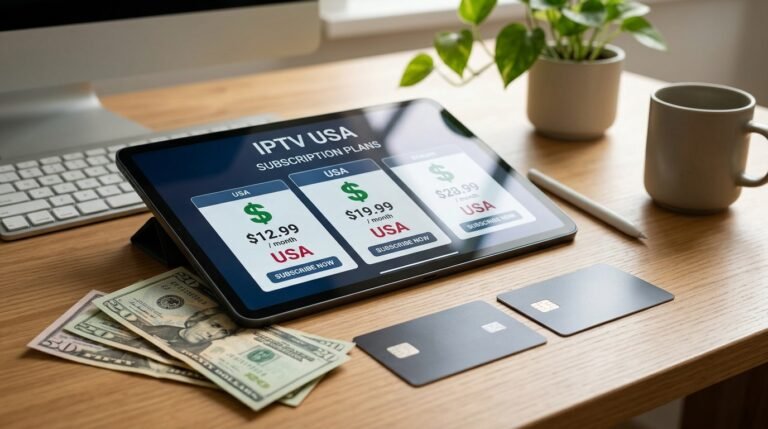
IPTV subscription cost in the USA shown on a tablet with dollar bills

Quick answer: Most IPTV subscriptions in the USA cost between $12 and $20 for a single month, and between $5 and $10 per month on a yearly plan. Longer plans are almost always cheaper per month, and unlike cable there is no box rental or installation fee.

The price of IPTV is one of the main reasons American households cancel cable. But IPTV prices vary a lot between providers, and the cheapest offer is not always the best deal. This guide breaks down what an IPTV subscription really costs, what affects the price, and how to get the lowest cost per month without sacrificing quality.

Typical IPTV subscription prices in 2026

Across the US market, prices fall into clear ranges depending on how long you subscribe:

Plan length Typical total price Typical cost per month
1 month $12 – $20 $12 – $20
3 months $35 – $50 $12 – $17
6 months $55 – $80 $9 – $13
12 months $80 – $180 $7 – $15
24 months $110 – $200 $5 – $8

Our own plans sit at the lower end of these ranges: 1 month is $19.99, and the 12 months + 3 free plan is $89.99, which works out to about $6.00 per month over 15 months. See the full list on our pricing section.

IPTV vs cable vs satellite: monthly cost

Cost item IPTV Cable Satellite
Base TV package $5 – $20 / month $80 – $150 / month $80 – $140 / month
Equipment rental None (your own device) $10 – $15 per box $5 – $15 per receiver
Installation Free, self setup Often $50+ Often required
Contract None Often 12–24 months Often 24 months
Early cancellation fee None Common Common

Cable and satellite figures vary by provider and region, but the gap is consistent: IPTV removes the hardware and contract costs that make traditional TV expensive.

What changes the price of an IPTV subscription

  • Plan lengthThe longer you commit, the lower the monthly cost.
  • Picture quality4K plans cost more than HD plans because they need more server capacity.
  • Number of connectionsWatching on several screens at once usually costs extra per connection.
  • Server qualityProviders that invest in stable servers for busy hours charge a little more, and it shows during live sports.
  • SupportReal human support and setup help are part of what you pay for.

Hidden costs to watch for

A low headline price can hide extra costs. Before you pay any IPTV provider, check for:

  • Automatic renewals that charge your card again without warning
  • Extra fees for each additional screen
  • Paid apps required to watch
  • Setup or activation fees
  • No refund window if the service does not work on your device

Our plans are a single payment with no automatic renewal, and the price you see is the price you pay for the whole period.

How to pay less per month

  1. Test first
    Start with a short plan to check quality on your own internet.
  2. Then go long
    Once you are happy, a 12 or 24-month plan cuts the monthly cost by half or more.
  3. Pick the right quality
    If your TV is not 4K, the Standard plan gives you the same channels for less.

Are very cheap IPTV deals worth it?

Offers like “lifetime IPTV for $50” are a red flag. Running servers costs money every month, so a provider that charges almost nothing either oversells its servers, which leads to buffering, or disappears after a few months. A fair price with clear terms is the better deal over a year.

Ready to switch? Compare our IPTV subscription plans, check the US channel list, or read what IPTV is and how it works.

Frequently asked questions

How much is IPTV per month in the USA?

Most IPTV services cost $12 to $20 for one month. On a yearly plan the cost usually drops to $5 to $10 per month.

Is IPTV cheaper than cable?

Yes. Cable packages often cost $80 to $150 per month plus box rental, while an IPTV subscription usually costs less than $20 per month with no equipment fees.

Why are yearly IPTV plans cheaper?

Providers reward longer commitments with a lower monthly rate, the same way streaming services discount annual plans.

Do I need to pay for an app?

Many IPTV player apps are free. Some premium players charge a small one-time fee for extra features, but it is optional.

Related guides
See IPTV plans

IPTVPub is a trusted IPTV service provider in the USA offering transparent pricing with no hidden fees, no contracts, and instant activation on all devices.

Frequently Asked Questions

How much does IPTV cost per month in the USA?

At IPTVPub, IPTV plans start at $11.99/month for 1 connection with full access to 18,000+ HD/4K channels. Premium plans with 2-4 connections range from $16.99 to $29.99/month. See how this compares in our cheap IPTV subscription guide.

Is a yearly IPTV subscription cheaper than monthly?

Yes, annual IPTV subscriptions save over 55% compared to paying monthly. A 1-year plan at IPTVPub costs the equivalent of about $5.50/month. Learn more in our monthly vs yearly IPTV comparison.

What is included in an IPTV subscription?

Every IPTVPub subscription includes 18,000+ live channels (HD & 4K), VOD movie and TV show libraries, an electronic program guide (EPG), catch-up TV, multi-device support, and 24/7 customer service. No contracts or hidden fees.

How much cheaper is IPTV compared to cable TV?

IPTV is 80-90% cheaper than cable TV. The average US cable bill is $140/month while IPTV offers more channels starting at $11.99/month. Read our detailed IPTV vs Cable TV cost breakdown.

Can I try IPTV before committing to a subscription?

Yes, IPTVPub offers trial subscriptions so you can test the service on your device before committing. Trials include full access to all 18,000+ channels, EPG, and VOD content. Visit our setup guide to get started.

IPTV Not Working? Quick Fixes and Troubleshooting Guide (2026)

IPTV Not Working or Buffering? 8 Fast Fixes (2027 Guide)

If your IPTV is not working, try these fixes: (1) Restart your device and router, (2) Check internet speed (minimum 25 Mbps), (3) Use a wired Ethernet connection, (4) Clear IPTV app cache, (5) Switch to a different server/channel, (6) Update your IPTV app, (7) Disable VPN, (8) Contact your IPTV provider support.

Troubleshooting · Updated 2026

IPTV Not Working? Quick Fixes That Actually Work

IPTV not working - troubleshooting a streaming signal error

Quick answer: Restart your device and router, check that your internet speed is at least 10 Mbps for HD, clear the IPTV app cache, and sign in again. These four steps solve most IPTV problems in a few minutes.

Few things are more frustrating than a frozen screen right before the game starts. The good news is that most IPTV problems come from a short list of causes, and you can fix the majority yourself. Work through this guide from top to bottom; each step takes only a minute or two.

Why IPTV stops working

When an IPTV service stops working, the cause is usually one of these: a slow or unstable internet connection, an app that needs updating or clearing, wrong login details, a device that is short on memory, or temporary server maintenance at the provider.

Start with the basics

  1. Restart everything
    Turn off your TV or streaming device and your router for 60 seconds, then turn them back on.
  2. Test your speed
    Run a speed test on the same device. You need about 10 Mbps for HD and 25 Mbps for 4K.
  3. Try another channel
    If only one channel fails, the problem is that channel, not your setup.

IPTV not working on Firestick

  • Clear the app cacheGo to Settings, Applications, Manage Installed Applications, choose your IPTV app and select Clear Cache.
  • Free up storageUninstall apps you no longer use. Firesticks slow down when storage is almost full.
  • Update the appOld versions can stop working after server changes.
  • Use Ethernet or 5 GHz Wi-FiAn Ethernet adapter or a 5 GHz network fixes many Firestick buffering issues.

Buffering problems

Buffering means your device is not receiving data fast enough. Close other apps and downloads on your network, move your router closer to the TV, switch to a wired connection, or lower the stream quality from 4K to HD. If buffering only happens in the evening or during big games, the issue may be the provider’s servers at peak hours.

App crashes and freezes

Update the app, then clear its cache. If it still crashes, uninstall and reinstall it, and sign in again with your details. On Smart TVs, a full power cycle (unplugging the TV for a minute) clears memory issues.

Some channels not loading

If a few channels show a black screen while others work, the channel may be temporarily down or under maintenance. Refresh your playlist or channel list in the app settings. If the channel stays down for more than a few hours, contact your provider’s support.

Login and account errors

Check that you typed your username, password and server URL exactly as provided, with no extra spaces. Make sure your plan has not expired and that you are not using more screens than your plan allows.

TV guide (EPG) not showing

Open the app settings and update or reload the EPG. Check that your device time zone is set correctly, since a wrong time zone shifts the guide or leaves it blank.

Advanced fixes

  • Change the DNS on your router or device to a public DNS service.
  • Reset the IPTV app to its default settings.
  • Try the same account on a different device to find out whether the problem is your device or your account.

How to prevent IPTV problems

Keep your app updated, restart your streaming device once a week, use a wired connection where you can, and avoid running large downloads while you watch live TV.

When to contact support

If none of the steps above work, send your provider the device you use, the app name, the channel that fails and a photo of any error message. Our support team answers on WhatsApp and walks you through the fix.

Ready to switch? Compare our IPTV subscription plans, check the US channel list, or read what IPTV is and how it works.

Frequently asked questions

Why does my IPTV keep buffering?

Buffering is usually caused by slow or unstable internet, weak Wi-Fi, a full device, or busy provider servers at peak times. A wired connection and a cleared app cache fix most cases.

Why is my IPTV not working on Firestick?

The most common causes are a full cache, low storage, an outdated app or weak Wi-Fi. Clear the cache, free storage and restart the Firestick.

Why do some IPTV channels not load?

A channel can be down temporarily or under maintenance. Refresh the channel list and try again later.

How do I fix IPTV login errors?

Re-enter your details exactly as provided, check that your plan is active, and make sure you are not over your screen limit.

Related guides

See IPTV plans

Frequently Asked Questions

Why is my IPTV not loading channels?

Channels may not load due to expired subscription, incorrect credentials (check server URL, username, password), internet connectivity issues, or app cache corruption. Verify your subscription is active, re-enter credentials, and clear the app cache.

How do I fix IPTV buffering on Firestick?

Fix Firestick buffering by: connecting via Ethernet adapter, clearing the IPTV app cache (Settings → Applications → Manage), closing unused background apps, and restarting the device. Also check your internet speed — 25+ Mbps is needed for HD streaming.

Why does my IPTV show “No Signal” or black screen?

A black screen usually means the channel stream URL has changed. Try switching channels and coming back, restarting the app, or updating your playlist. If the issue persists on all channels, contact IPTVPub support for an updated server URL.

Should I use a VPN with IPTV?

A VPN is not required for IPTV and can actually cause buffering due to added latency. If you use a VPN, connect to a US server near your location and choose a VPN with fast speeds. Disable VPN if experiencing performance issues.

How do I improve IPTV streaming quality?

Use Ethernet instead of Wi-Fi, ensure 50+ Mbps for 4K content, close other bandwidth-heavy apps, restart your router monthly, and keep your IPTV app updated. For setup help, see our device setup guides.

How to Set Up IPTV on Any Device in 5 Minutes

How to Set Up IPTV (2027) — M3U, Xtream Codes & EPG Guide

To set up IPTV: (1) Choose an IPTV provider like IPTVPub, (2) Install an IPTV player app on your device, (3) Enter your Xtream Codes API credentials (server URL, username, password) or paste your M3U playlist URL, (4) Configure your EPG TV guide, (5) Start streaming live channels.

Setup guide · Updated 2026

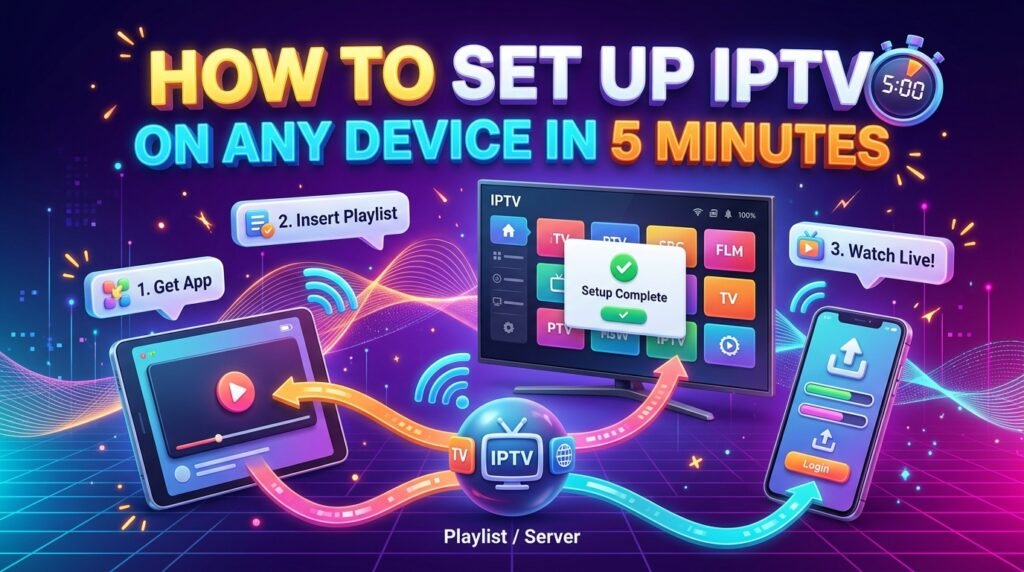
How to Set Up IPTV on Any Device in 5 Minutes

How to set up IPTV on any device in 5 minutes

Quick answer: To set up IPTV, install an IPTV player app on your device, open it, and sign in with the login details or playlist link from your provider. The whole process takes about five minutes on most devices.

Setting up IPTV is easier than installing a cable box. You do not need a technician or new hardware, just a compatible device, an internet connection and your IPTV subscription details. Below are the exact steps for the most popular devices in the USA.

What you need before you start

  • An active IPTV subscriptionWith your username, password and server URL, or an M3U playlist link.
  • A compatible deviceFirestick, Android TV, Smart TV, phone, tablet or computer.
  • InternetAt least 10 Mbps for HD and 25 Mbps for 4K.
  • An IPTV player appYour provider tells you which one works best.

Set up IPTV on Amazon Firestick

  1. Allow apps
    Go to Settings, My Fire TV, Developer Options and allow apps from unknown sources for the Downloader app.
  2. Install the player
    Install your IPTV player from the Amazon Appstore, or with Downloader using the link from your provider.
  3. Sign in
    Open the app, choose Xtream Codes or M3U login and enter your details.

Set up IPTV on Android TV and Google TV

Open the Google Play Store, search for your IPTV player app, install it and sign in. Android TV boxes and Google TV devices such as Chromecast with Google TV follow the same steps.

Set up IPTV on a Samsung or LG Smart TV

Open the app store on your TV (Samsung Smart Hub or LG Content Store), search for a compatible IPTV player, install it and note the device ID or MAC address it shows if your provider needs it. Then enter your login or playlist details in the app or on the player’s website.

Set up IPTV on iPhone, iPad and Apple TV

Download an IPTV player from the App Store, open it, and add your playlist or Xtream login. On Apple TV, install the same app from the tvOS App Store. See our guide to the best IPTV player apps for iPhone and iPad.

Set up IPTV on Windows and Mac

Install a desktop IPTV player or VLC media player, then open your M3U playlist link. Desktop apps are handy for testing your subscription before you set up the TV.

Set up IPTV on a MAG box

Go to Settings, System Settings, Servers, Portals and enter the portal URL from your provider. Restart the box, and your channel list loads automatically.

After setup: get the best picture

  • Use a wired connection for your main TV.
  • Turn on the TV guide (EPG) in the app settings.
  • Add your favorite channels to a favorites list.
  • Choose 4K streams only if your TV and internet support them.

If something does not work, our IPTV troubleshooting guide covers the common fixes.

Ready to switch? Compare our IPTV subscription plans, check the US channel list, or read what IPTV is and how it works.

Frequently asked questions

How long does IPTV setup take?

About five minutes on most devices: install the app, open it and enter your login details.

Which app should I use for IPTV?

Use the player your provider recommends. Popular options include IPTV Smarters Pro, TiviMate, OTT Navigator and VLC.

Can I use one IPTV subscription on several devices?

Yes, you can install the app on several devices. How many can play at the same time depends on the number of connections in your plan.

Do I need a VPN for IPTV?

A VPN is not required to watch IPTV. Some people use one for privacy, but it can slow your connection.

Related guides

See IPTV plans

Frequently Asked Questions

What is Xtream Codes API and how does it work?

Xtream Codes API is an IPTV login method that uses a server URL, username, and password to connect your IPTV app to your provider. It automatically loads channels, EPG, VOD, and catch-up TV. Most modern IPTV apps support it natively.

How do I add an M3U playlist to my IPTV app?

Open your IPTV app, go to Settings or Add Playlist, select “M3U URL” option, and paste the M3U playlist URL provided by IPTVPub. The app will download the channel list. M3U works on all IPTV apps across all devices.

How do I set up EPG (Electronic Program Guide)?

Most IPTV apps auto-configure the EPG when you use Xtream Codes API. For M3U setups, paste the EPG URL (provided by IPTVPub) in your app’s EPG settings. The guide shows program schedules, descriptions, and upcoming shows.

Which setup method is better: Xtream Codes or M3U?

Xtream Codes API is better for most users — it auto-configures channels, EPG, and VOD in one step. M3U playlists are more universal but require manual EPG setup. IPTVPub provides both formats with every subscription.

Can I set up IPTV without technical knowledge?

Yes, IPTV setup requires no technical skills. Our device-specific setup guides walk you through every step with screenshots. The entire process takes under 5 minutes. IPTVPub support is available 24/7 if you need help.

How to Choose an IPTV Service Provider in the USA: The Complete Guide

Buyer guide · Updated 2026

How to Choose an IPTV Service Provider in the USA

How to choose an IPTV service provider in the USA - buyer guide

Quick answer: Choose an IPTV service provider that carries your must-have channels, stays stable at peak hours, works on your devices, offers a short first plan or refund window, prices clearly without automatic renewals, and has real support you can reach.

There are hundreds of IPTV providers competing for American viewers, and from the outside many look the same. The differences show up after you pay: buffering during the big game, channels that vanish, or support that never answers. This guide gives you a clear checklist so you can compare any IPTV service provider in a few minutes.

1. Check the channel list first

Start with the channels you actually watch: your local networks, your sports, your news. A good provider publishes its channel list so you can check before you buy. Big numbers matter less than whether your favorites are there and working.

2. Test stream quality at peak hours

Most services look fine on a quiet afternoon. The real test is Sunday afternoon during football season or a weekday evening. A short plan lets you test during those busy hours on your own connection.

3. Confirm device support

Make sure the service works with the devices in your home: Firestick, Smart TV, Android box, Roku, Apple TV, phones. Ask which app the provider recommends for each device.

4. Compare prices the right way

Compare the cost per month, not just the headline price. A 12-month plan at $89.99 with 3 free months costs about $6 per month, while a 1-month plan at $19.99 costs more than three times as much per month. Read our full breakdown of IPTV subscription costs.

5. Look for clear terms

  • No automatic renewalOr an easy way to turn it off.
  • A refund windowSo you are not stuck if the service does not work on your device.
  • Clear connection limitsSo you know how many screens can watch at once.

6. Test the support before you need it

Send a pre-sales question by WhatsApp or email. How fast and how clearly they answer is a good preview of the help you will get when something breaks.

7. Ask about licensing

IPTV is a legal technology, but not every provider has the rights to the channels it streams. Services without those rights can be shut down without notice, taking your subscription with them. Our guide on whether IPTV is legal in the USA explains what to look for.

Red flags to avoid

  • “Lifetime” subscriptions
  • No website, only social media accounts
  • Payment only through gift cards or crypto with no receipt
  • No way to contact a person
  • Prices far below everyone else

Quick comparison checklist

CheckGood signWarning sign
Channel listPublished and searchable“Thousands of channels” with no list
PlansShort and long optionsLifetime only
RenewalNo automatic chargeHidden auto-renew
SupportAnswers within hoursNo reply
DevicesClear setup guides“Works everywhere” with no details

Ready to switch? Compare our IPTV subscription plans, check the US channel list, or read what IPTV is and how it works.

Frequently asked questions

What is the best IPTV service provider in the USA?

The best provider is the one that carries your channels, streams smoothly at peak hours on your internet, supports your devices and has clear pricing and real support. Test with a short plan first.

Should I choose a monthly or yearly IPTV plan?

Start short to test quality, then switch to a yearly plan to cut the monthly cost roughly in half.

How many connections do I need?

One connection per screen that will play at the same time. A family watching on two TVs at once needs two connections.

How can I tell if an IPTV provider is reliable?

Look for a published channel list, clear terms, no lifetime deals, fast support replies and stable streams during busy evenings.

Related guides

See IPTV plans

What Is IPTV? How Internet TV Works (2026 Guide)

IPTV guide · Updated 2026

What Is IPTV? How Internet TV Works

What is IPTV - Smart TV streaming internet TV in a living room

Short answer: IPTV (Internet Protocol Television) is TV delivered over an internet connection instead of a cable, antenna or satellite dish. You watch live channels and on-demand shows through an app on a Smart TV, streaming stick, phone or computer.

If you have watched a live channel inside an app, you have already used IPTV. The term sounds technical, but the idea is simple: the same internet line that loads web pages and video calls also carries your TV channels. This guide explains how IPTV works, how it compares with cable and satellite, what you need to get started, and how to tell a good IPTV service from a bad one.

What does IPTV stand for?

IPTV stands for Internet Protocol Television. “Internet Protocol” is the set of rules that moves data across networks, the same technology behind websites and email. With IPTV, TV programs are split into small data packets, sent over the network and reassembled by the app on your device.

How does IPTV work?

Traditional cable sends every channel down the line at the same time, and your box picks one. IPTV works the other way around: your device only requests the channel or show you choose, and the provider streams just that. In practice it looks like this:

  1. The provider receives content
    Live channels and video libraries are collected and encoded into streaming formats.
  2. Servers deliver the stream
    When you press play, servers send that stream to you over the internet.
  3. Your app plays it
    The IPTV app on your TV, stick or phone decodes the stream and shows the channel guide.

Because the stream is sent on request, IPTV can offer features cable cannot easily match, such as replaying a show you missed or pausing live TV.

The three types of IPTV

  • Live TVChannels broadcast in real time, like news, sports and network TV, with a program guide.
  • Video on demand (VOD)A library of movies and series you can start whenever you want, like Netflix.
  • Time-shifted TV (catch-up)Programs that already aired, available to replay for a set period, plus pause and rewind on live channels.

IPTV vs cable vs satellite vs streaming apps

IPTVCableSatelliteStreaming apps
Delivered byInternetCoaxial cableDish and receiverInternet
Live channelsYesYesYesMostly no
On demandYesLimitedLimitedYes
EquipmentApp on your deviceCable boxDish, installerApp on your device
ContractUsually noneOften 1–2 yearsOften 2 yearsMonthly
Watch outside homeYesLimitedLimitedYes

In short, IPTV combines the live channels of cable with the flexibility of streaming apps.

What do you need to watch IPTV?

  • An internet connectionPlan for roughly 10 Mbps per HD stream and 25 Mbps per 4K stream. A wired connection or strong Wi-Fi helps prevent buffering.
  • A compatible deviceAmazon Firestick, Android TV, Google TV, a Samsung or LG Smart TV, Roku, Apple TV, a phone, tablet or computer.
  • An IPTV appThe player that shows your channels and guide. Your provider tells you which app to use.
  • An IPTV subscriptionThe account that gives you access to the channels and library.

Is IPTV legal in the USA?

Yes, IPTV as a technology is completely legal. Many of the biggest TV services in the USA are IPTV services, including YouTube TV, Sling TV, Hulu + Live TV and DirecTV Stream. What matters is the provider: a legal IPTV provider has the rights to distribute the channels it offers. Services that resell channels without permission break copyright law, and they tend to shut down without warning, taking your subscription with them. Before you pay any provider, ask how its content is licensed.

Pros and cons of IPTV

Pros

No cable box or dish. Usually no contract. Watch on many devices, at home and away. Live TV plus on-demand in one app. Often cheaper than cable.

Cons

Depends on your internet speed. Quality varies a lot between providers. Weak servers can buffer during big live events. Some providers are not licensed.

How to choose an IPTV provider

Check the channel list for the networks and sports you watch, start with a short plan to test quality on your own connection, confirm your devices are supported, and avoid “lifetime” offers. We cover each point in detail on our IPTV service provider page, where you can also compare our IPTV subscription plans and browse the US channel list.

IPTV FAQ

What is IPTV in simple terms?

IPTV is TV that comes through your internet connection instead of a cable or satellite dish. You watch it in an app on your TV, streaming stick, phone or computer.

Is IPTV the same as streaming?

IPTV is a type of streaming. The difference is that IPTV services focus on live TV channels with a program guide, while most streaming apps focus on on-demand movies and series.

Do I need a box to watch IPTV?

No special box is required. Most people use a Smart TV app or a streaming stick such as an Amazon Firestick. Dedicated IPTV boxes like MAG devices also work.

Why does IPTV buffer?

Buffering is usually caused by a slow or unstable internet connection, weak Wi-Fi, or overloaded provider servers during busy hours such as live sports.

Is IPTV legal in the USA?

IPTV technology is legal and used by services like YouTube TV and Sling TV. A provider is legal when it has the rights to the channels it streams.

See IPTV plans

Online now 1 Chat with an ExpertNeed IPTV?