
Setup tutorial · Samsung & LG · Updated 2026
IPTV on Smart TV: Samsung & LG Setup Guide
Quick answer: To watch IPTV on Smart TV, install an IPTV player such as Hot Player or IBO Player from your Samsung or LG app store, note the MAC address it shows, upload your playlist on the player website using that MAC address, then restart the app.
Watching IPTV on Smart TV is the easiest setup of all: no stick, no box, just an app on the TV you already own. This guide covers Samsung (Tizen) and LG (webOS) TVs, plus Vizio and Hisense models with their own app stores. If your TV runs Google TV, follow our TiviMate setup instead.
Have your IPTV subscription details ready (server URL, username and password) and a phone or computer nearby.
Step 1: Install an IPTV player on your Samsung or LG TV
- Open the app store
Samsung: Smart Hub / Apps. LG: LG Content Store. - Search the player
Search for Hot Player (or Hot IPTV). IBO Player and Set IPTV are good alternatives. - Install and open
Install the app and open it.
Step 2: Find the MAC address on the TV
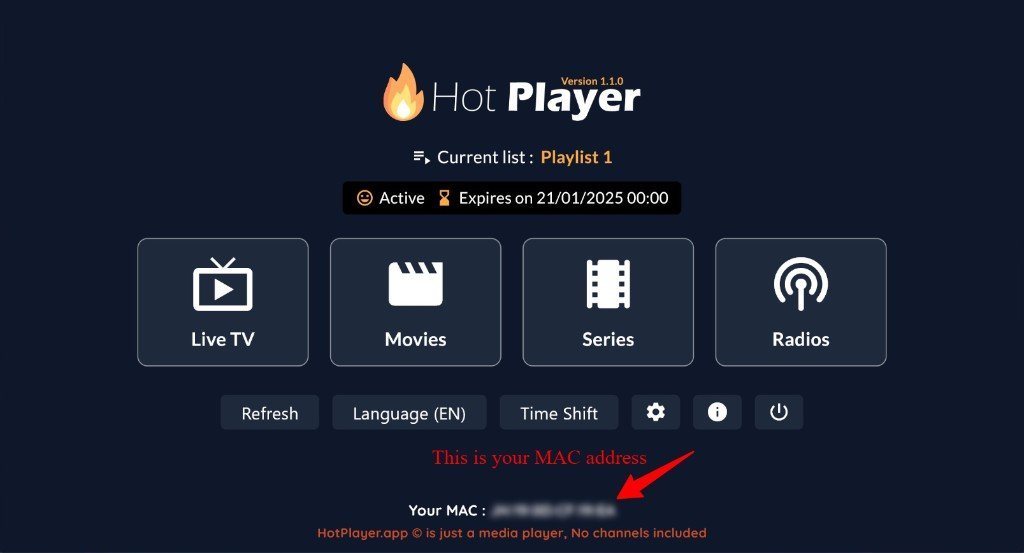
Smart TV players do not ask for your login on the TV. Instead, they show a MAC address that links the TV to your playlist. Write it down exactly.
Step 3: Upload your playlist from a phone or computer
- Open the website
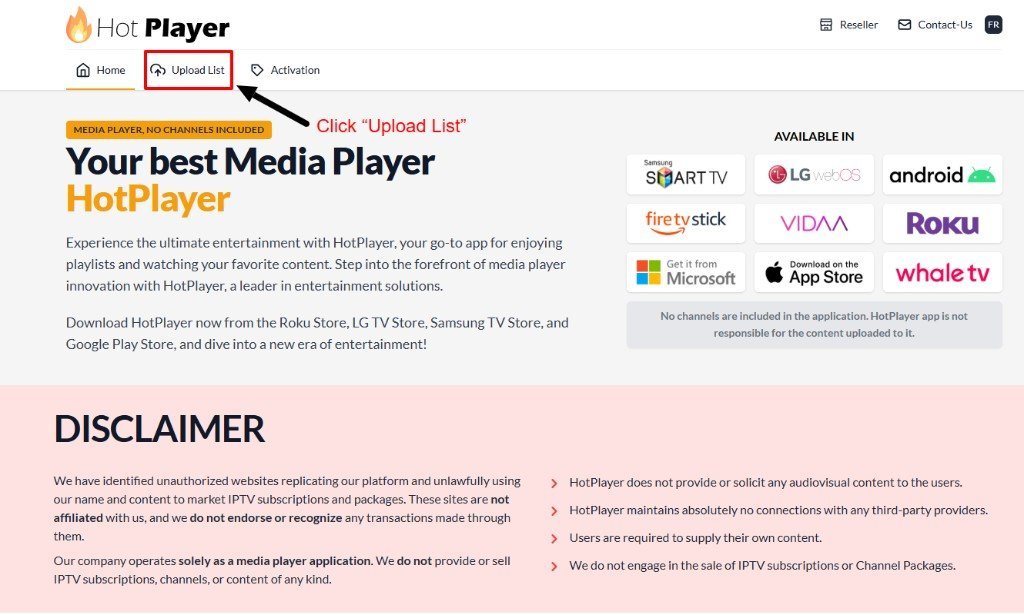
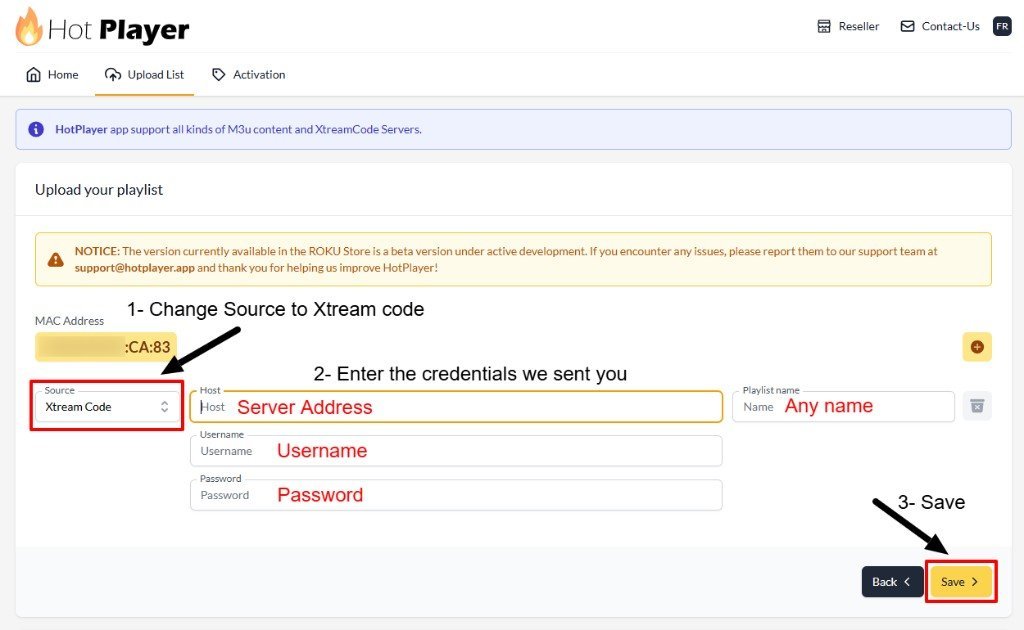
On your phone or PC, open the official website of your player and choose Upload List. - Enter the MAC
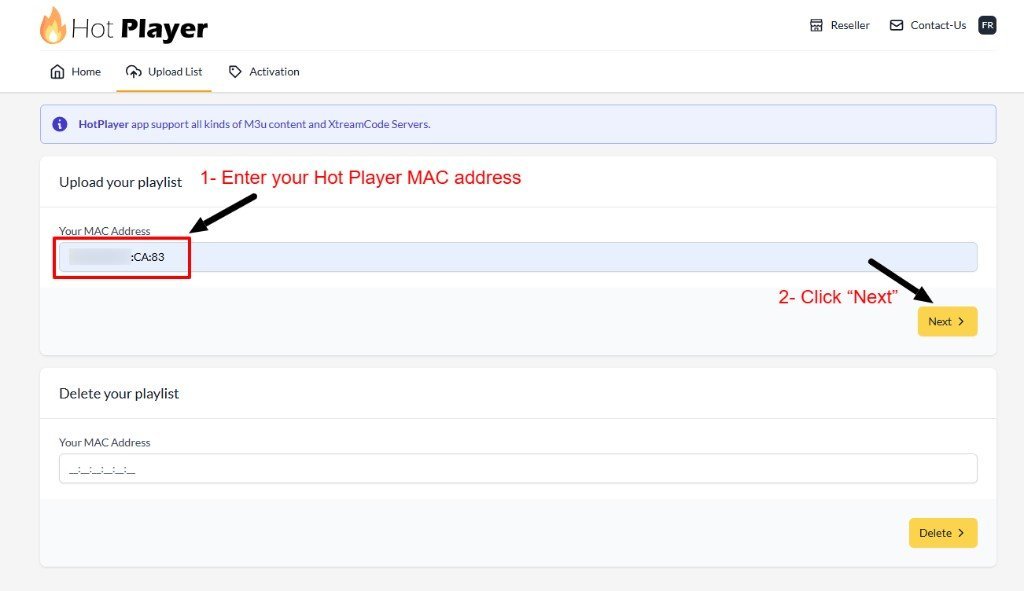
Type the same MAC address shown on the TV and press Next. - Add your login
Set Source to Xtream Code, enter the server address, username and password, give the playlist a name, and press Save.
Need a login to upload? Choose a plan and receive your details on WhatsApp.
Get your IPTV accessStep 4: Restart the app and watch
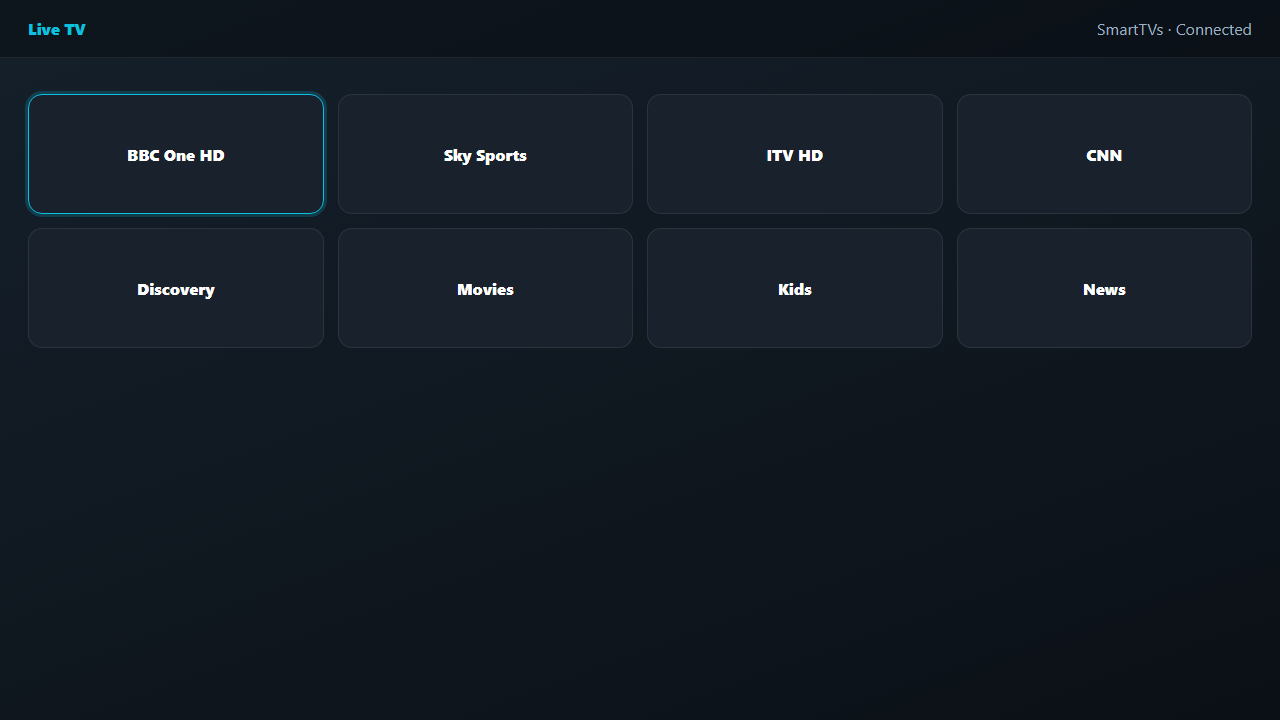
Go back to the TV, close the player completely and open it again. Your playlist loads and you can open Live TV.
Samsung vs LG: what is different?
| Samsung (Tizen) | LG (webOS) | |
|---|---|---|
| App store | Smart Hub / Apps | LG Content Store |
| Popular players | Hot Player, IBO Player, Set IPTV | Hot Player, IBO Player, Set IPTV |
| Tip | Update the TV software first | Search with the exact app name |
About player fees: Smart TV players are third-party apps. Many offer a free trial and then charge their own one-time activation fee. Your IPTV subscription and the player license are separate.
Tips for IPTV on Smart TV
- Use EthernetSmart TV Wi-Fi is often weaker than a streaming stick, so a cable helps.
- Update the TVOld firmware can stop players from installing.
- Double-check the MACOne wrong character and the playlist will not load.
- Restart after changesClose and reopen the app after every playlist change.
Still stuck? Read the IPTV troubleshooting guide.
More setup tutorials
- IPTV on Firestick with IBO Player Pro
- TiviMate IPTV setup on Android & ChromeOS
- How to set up IPTV on any device
Ready to switch? Compare our IPTV subscription plans, check the US channel list, or read what IPTV is and how it works.
Frequently asked questions
Can I watch IPTV on any Smart TV?
Most Samsung, LG, Vizio and Hisense Smart TVs with an app store can run an IPTV player. Very old models may not support current apps.
Why do I need a MAC address for IPTV on Smart TV?
Smart TV players link your playlist to the TV through its MAC address, so you add your login on the player website instead of typing it with the remote.
Is Hot Player free?
Hot Player usually offers a free trial, then a one-time activation fee paid to the app developer. It is separate from your IPTV subscription.
What if my TV runs Google TV?
Use the Google Play Store and follow our TiviMate setup guide for Android and Google TV.
Related guides
What Is IPTV? How Internet TV Works (2026 Guide)
IPTV is TV delivered over the internet instead of cable or satellite. Learn how IPTV works, what you need, and whether it is legal in the USA.
IPTV Subscription Cost in the USA (2026): What You Really Pay
How much does an IPTV subscription cost in the USA? Typical monthly and yearly prices, IPTV vs cable costs, hidden fees to avoid and how to pay less per month.
IPTV Not Working? Quick Fixes and Troubleshooting Guide (2026)
IPTV not working, buffering or not loading? Step-by-step fixes for Firestick, Smart TV and phones: internet checks, app cache, login errors, channels not loading and more.