
Setup tutorial · Amazon Firestick · Updated 2026
IPTV on Firestick: IBO Player Pro Setup Guide
Quick answer: To watch IPTV on Firestick, install the Downloader app, allow apps from unknown sources, install IBO Player Pro, then add your playlist (Xtream Codes or M3U) on the IBO Player Pro website using the MAC address and device key shown in the app.
Setting up IPTV on Firestick takes about ten minutes, even if you have never installed an app outside the Amazon Appstore. In this guide we use IBO Player Pro, a popular IPTV player with a clean TV guide, and real Fire TV screenshots for every step. It works on all Fire TV Stick generations, the Fire TV Cube and Fire TV Edition TVs.
You need three things: a Firestick connected to the internet, your IPTV subscription login (username, password and server URL, or an M3U link), and a phone or computer to add your playlist.
Part 1: Install Downloader on your Firestick
Downloader is a free, official Amazon Appstore app that lets you install players that are not listed in your region.
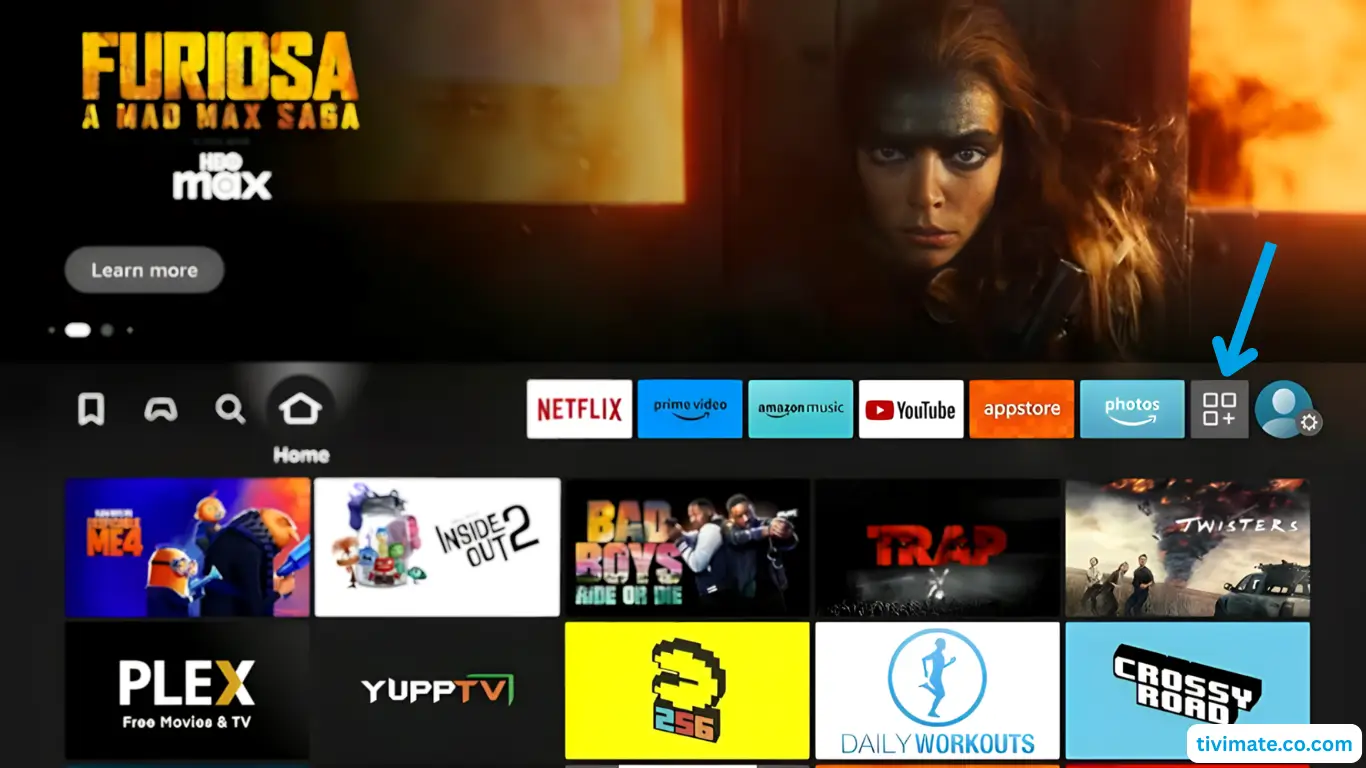
- Open Your Apps
From the Fire TV home screen, open Your Apps & Channels (the app grid icon). - Search
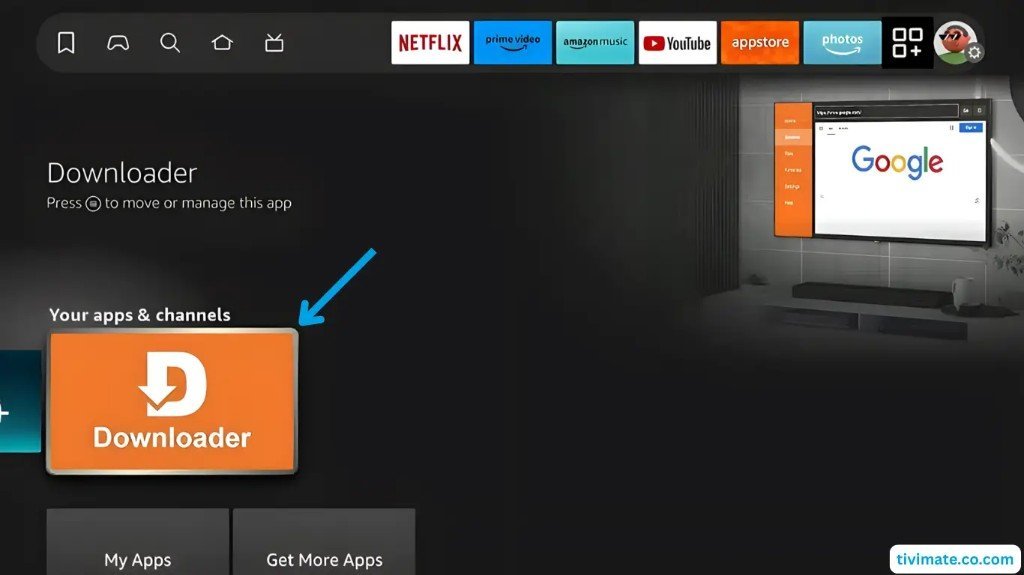
Open Search in the Appstore and type Downloader. - Install
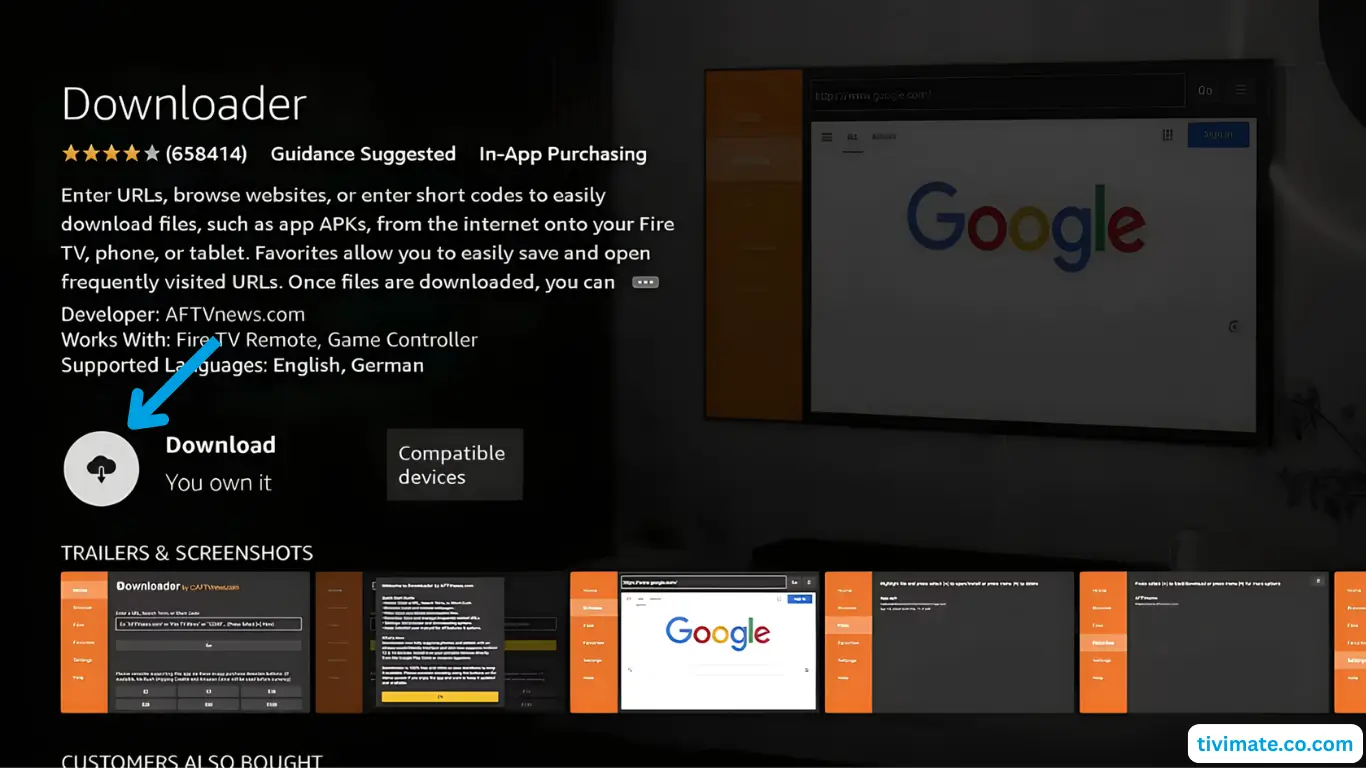
Select the orange Downloader app and press Download. Do not open it yet.
Part 2: Allow unknown apps on Fire TV
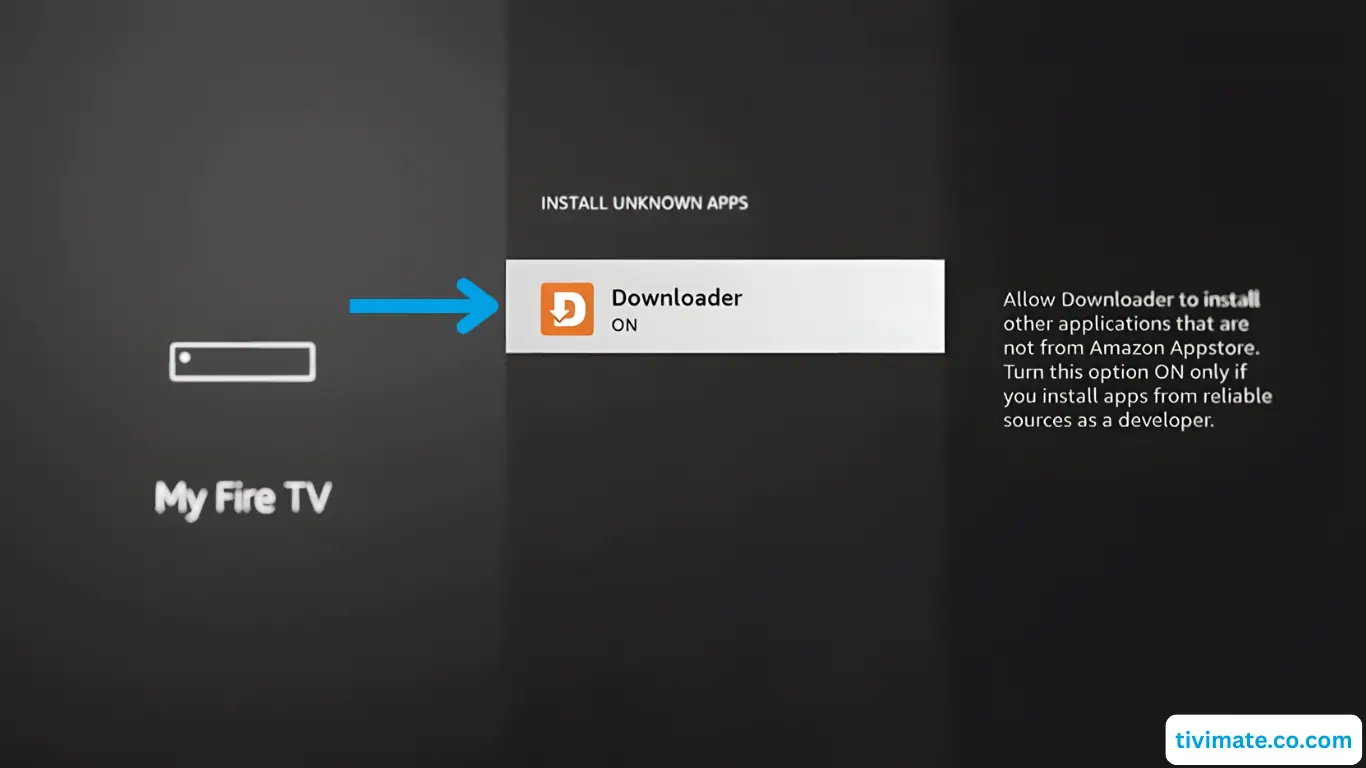
Fire TV blocks apps installed outside the Appstore until you allow them for Downloader.
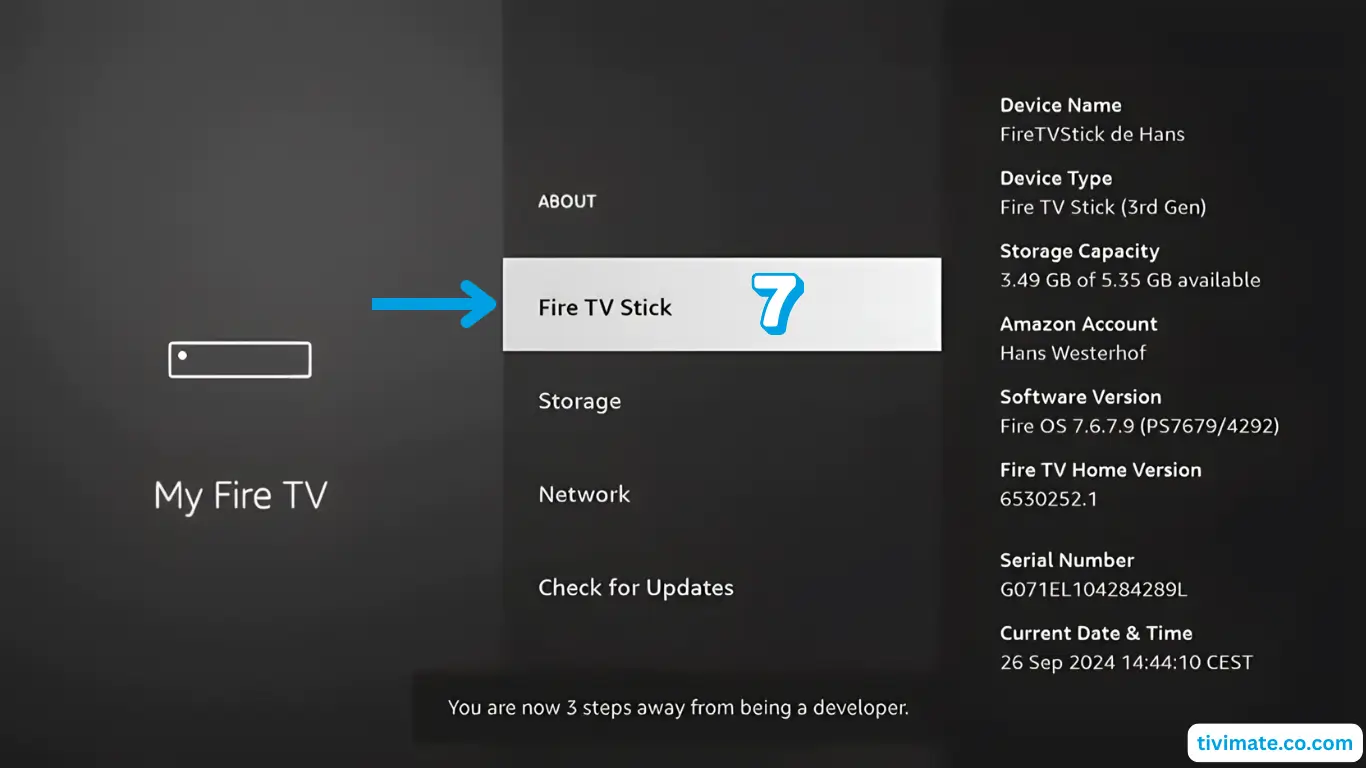
- Unlock developer options
Go to Settings → My Fire TV → About and click the device name 7 times. - Open the setting
Go back, open Developer options → Install unknown apps. - Allow Downloader
Turn the permission ON for Downloader, then press Home.
Part 3: Install IBO Player Pro on Firestick
First search for IBO Player Pro in the Amazon Appstore. If it is not available in your region, install it with Downloader:
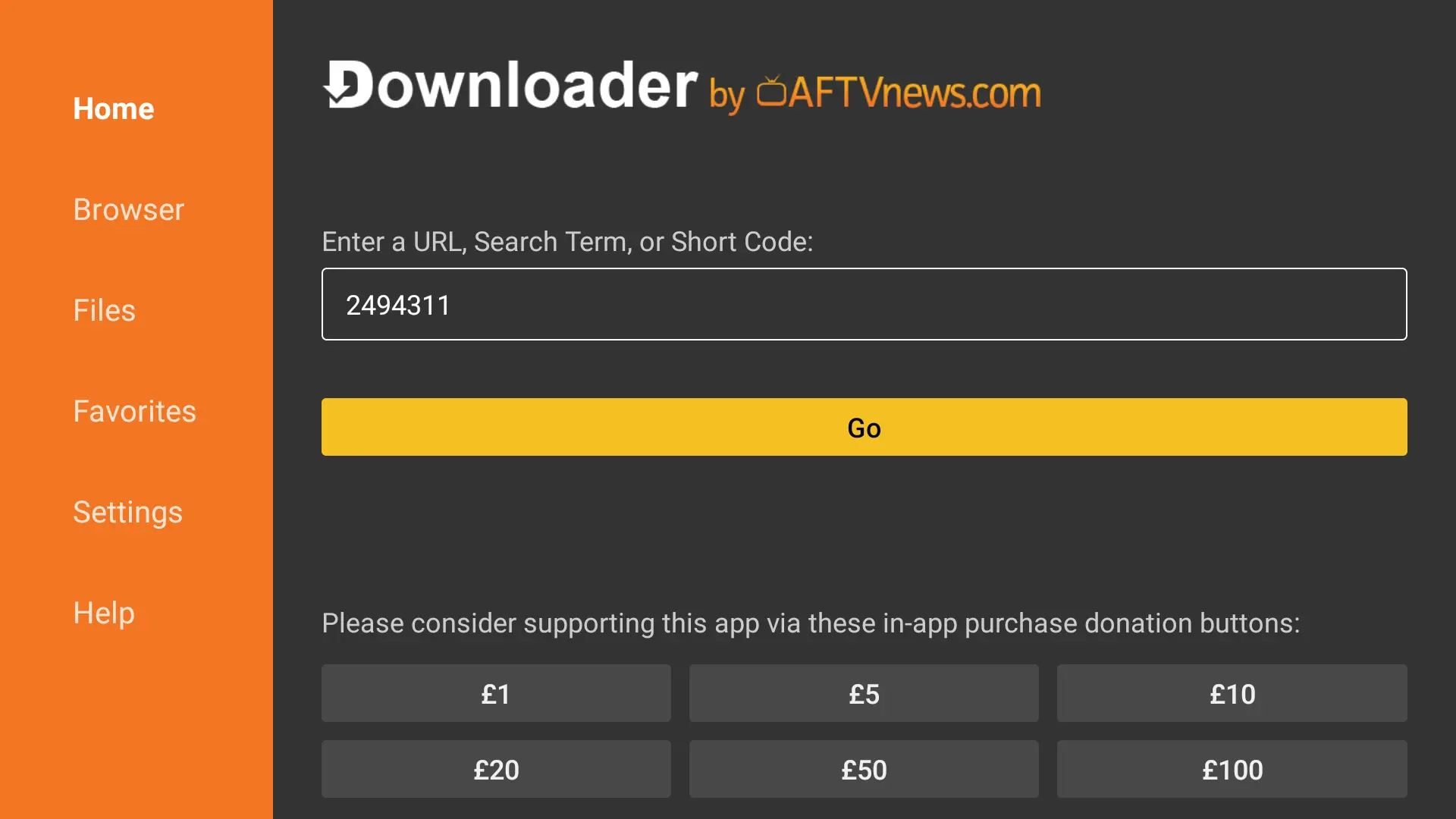
- Open Downloader
Allow file access and close the welcome message. - Enter the code
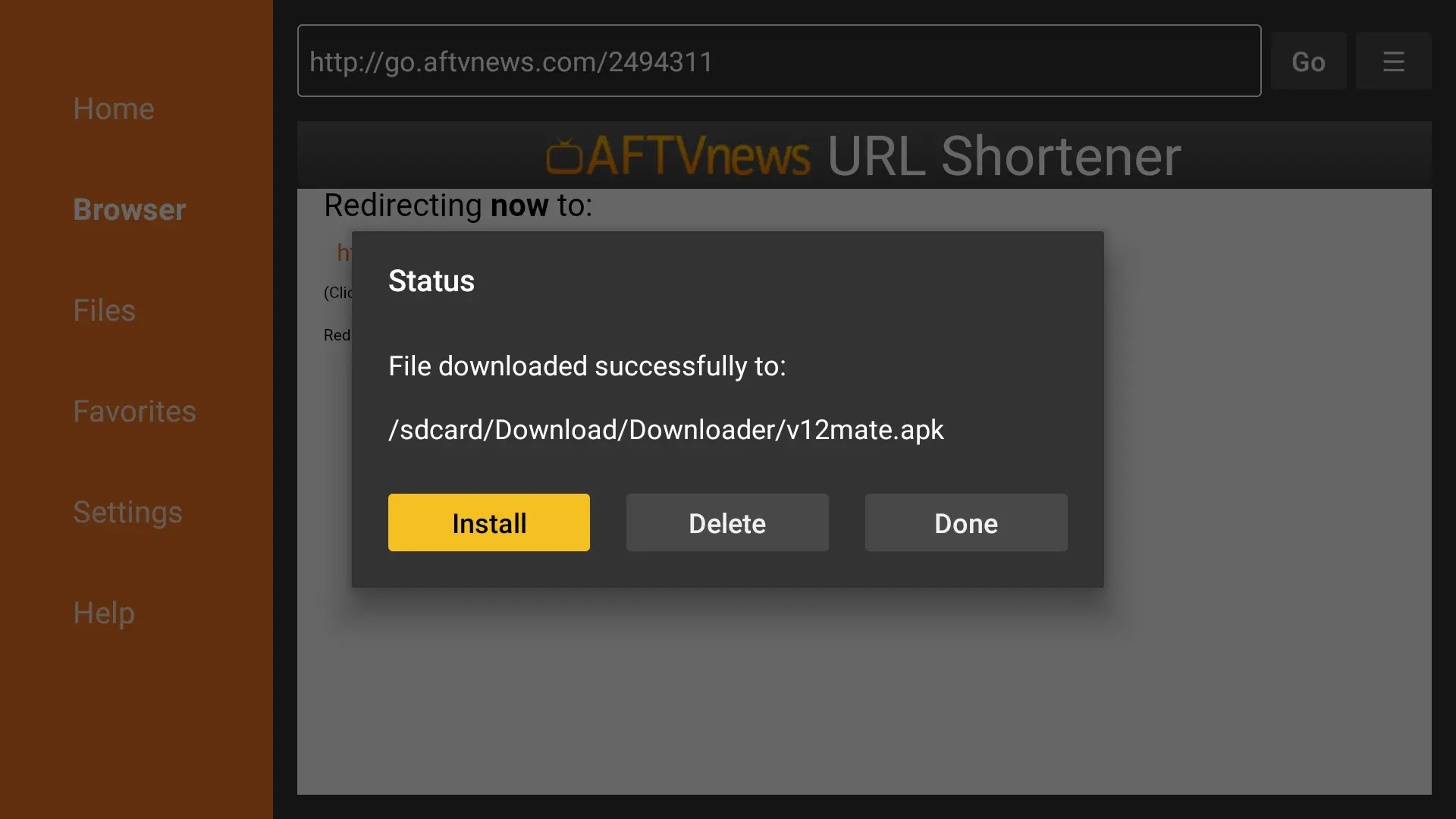
Type the download code or link your provider sends you, then press Go. - Install and open
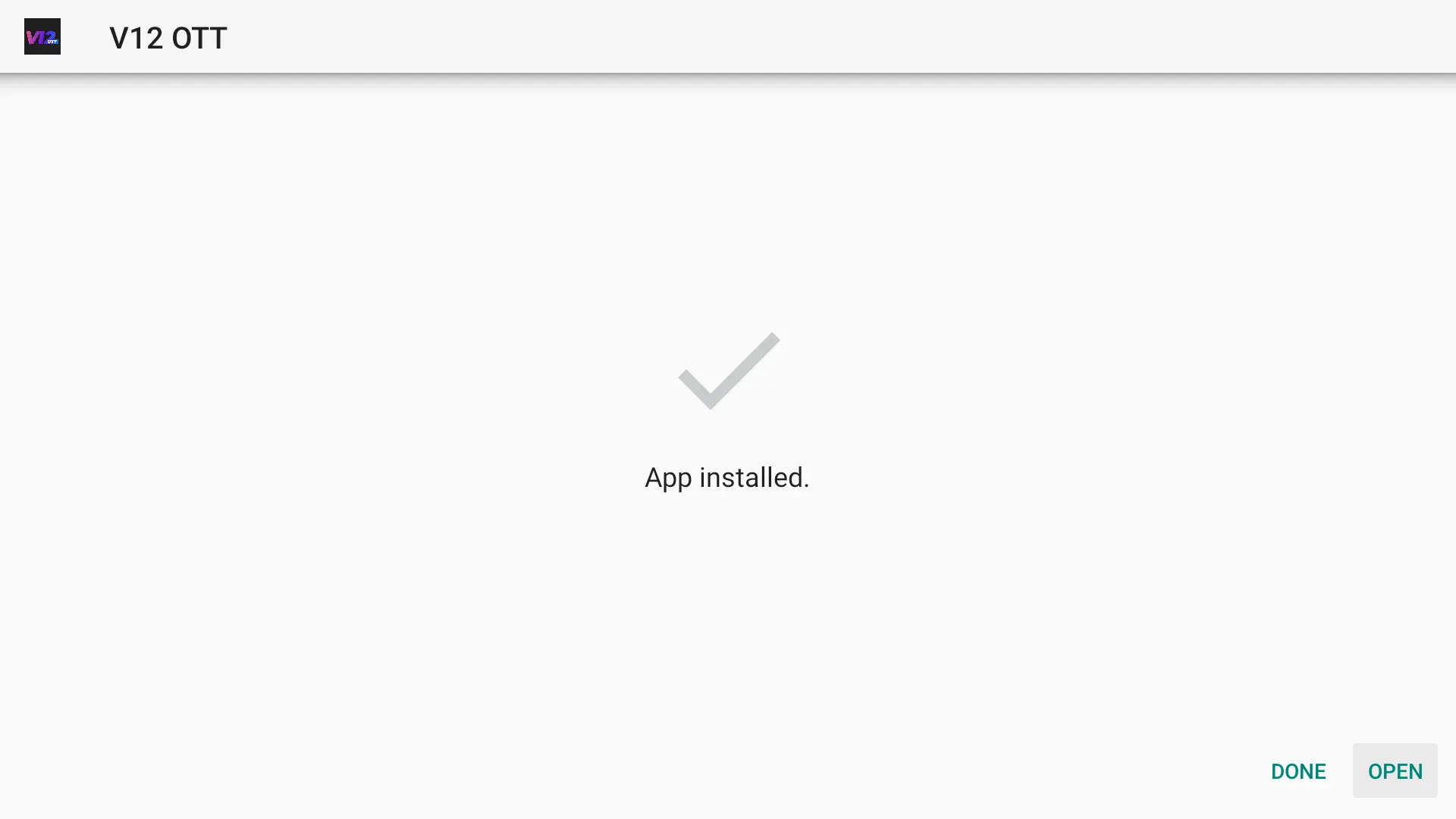
Press Install, then Open when the app is ready.
Need your login details? Pick a plan and we send them on WhatsApp within minutes.
Get your IPTV accessPart 4: Add your IPTV playlist to IBO Player Pro
IBO Player Pro does not ask for your login on the TV. Instead, you add the playlist on its website:
- Note your codes
Open IBO Player Pro and write down the MAC address and Device Key shown on screen. - Open the website
On your phone or computer, open the official IBO Player Pro website and go to Manage playlist / login. - Add the playlist
Enter the MAC and key, choose Xtream Codes (or M3U), and fill in a playlist name, the server URL, your username and password. Save. - Restart the app
Close IBO Player Pro on the Firestick, reopen it, and your channels load.
About the trial: IBO Player Pro is a third-party app. It usually starts with a free trial, then asks for a one-time activation fee paid to the app developer. Your IPTV subscription and the player license are separate.
Tips for smooth IPTV on Firestick
- Use 5 GHz Wi-Fi or EthernetAn Ethernet adapter gives the most stable picture during live sports.
- Keep storage freeFiresticks slow down when storage is almost full. Remove apps you do not use.
- Turn on the TV guideLoad the EPG in the player settings to browse channels like cable.
- Restart weeklyA quick restart clears memory and prevents freezes.
Something not working? Read our IPTV troubleshooting guide.
Other ways to watch IPTV on Firestick
IBO Player Pro is not the only option. TiviMate and IPTV Smarters Pro also work well on Fire TV. Compare them in our guide to the best IPTV apps, or follow the TiviMate setup tutorial.
More setup tutorials
- TiviMate IPTV setup on Android & ChromeOS
- IPTV on Smart TV: Samsung & LG
- How to set up IPTV on any device
Ready to switch? Compare our IPTV subscription plans, check the US channel list, or read what IPTV is and how it works.
Frequently asked questions
Can I watch IPTV on any Firestick?
Yes. IPTV works on every Fire TV Stick generation, the Fire TV Cube and Fire TV Edition TVs, as long as you can install an IPTV player app.
Is IBO Player Pro free on Firestick?
IBO Player Pro usually offers a free trial, then a one-time activation fee paid to the app developer. Your IPTV subscription is separate.
Why is IBO Player Pro not showing my channels?
Check that the MAC address and device key on the website match the app exactly, that your playlist details are correct, and then restart the app.
Is it safe to install apps with Downloader?
Downloader is an official Appstore app. Only enter codes or links from sources you trust, such as your provider.
Related guides
What Is IPTV? How Internet TV Works (2026 Guide)
IPTV is TV delivered over the internet instead of cable or satellite. Learn how IPTV works, what you need, and whether it is legal in the USA.
IPTV Subscription Cost in the USA (2026): What You Really Pay
How much does an IPTV subscription cost in the USA? Typical monthly and yearly prices, IPTV vs cable costs, hidden fees to avoid and how to pay less per month.
IPTV Not Working? Quick Fixes and Troubleshooting Guide (2026)
IPTV not working, buffering or not loading? Step-by-step fixes for Firestick, Smart TV and phones: internet checks, app cache, login errors, channels not loading and more.